
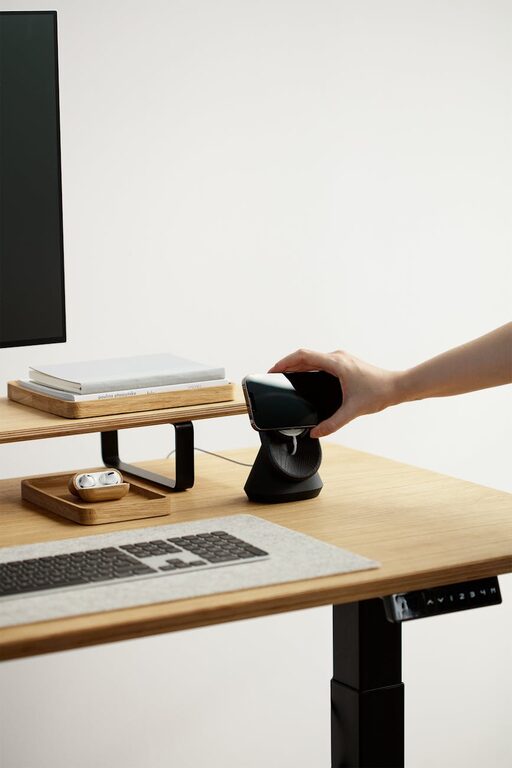
Creating a workspace that promotes both comfort and focus is essential for productivity and well-being, whether you work from home or in an office. A thoughtfully arranged desk can reduce distractions, ease physical strain, and keep you mentally engaged throughout your workday. In this post, we’ll explore some practical desk setup tips that will help you find the perfect balance of comfort and concentration.
Why Your Desk Setup Matters
Your desk setup influences your posture, energy levels, and how easily you can focus on tasks. Poor ergonomics can lead to discomfort, headaches, or fatigue, while an unorganized space can cause stress and reduce efficiency. By optimizing your workspace, you create an environment that supports your goals and keeps you comfortable for hours.
Choosing the Right Desk and Chair
Desk Height and Size
Choose a desk that fits your space but also provides enough room for your computer, accessories, and any paperwork. The ideal desk height should allow your elbows to rest at around a 90-degree angle when typing or writing.
– Standard desk height is usually around 28 to 30 inches.
– Adjustable desks, including sit-stand options, offer flexibility to change posture.
Chair Support and Comfort
Your chair should support your lower back and allow your feet to rest flat on the floor or on a footrest.
– Select a chair with adjustable height and lumbar support.
– Ensure armrests support your arms without lifting your shoulders.
Positioning Your Monitor and Devices
Monitor Placement
Proper monitor placement prevents neck strain and improves focus.
– Position the top of your screen at or just below eye level.
– Place the monitor about an arm’s length away.
– Tilt the screen slightly backward (10–20 degrees) for comfort.
Keyboard and Mouse Setup
Keep your keyboard and mouse close to maintain a natural arm position.
– Use a keyboard tray or desk surface height that allows wrists to remain straight.
– Consider wrist rests if you experience discomfort.
Lighting to Reduce Eye Strain
Natural light is best, but if that’s not possible, choose good quality, adjustable desk lamps.
– Avoid glare on your screen by positioning lamps and windows appropriately.
– Use soft, diffused lighting to reduce eye fatigue.
Organizing Your Workspace for Focus
A clutter-free desk helps minimize distractions and streamline your workflow.
Essential Desk Items Only
Keep only items you use daily on or near your desk.
– Use drawers, shelves, or organizers for other supplies.
– Limit decorative items to a few favorites to avoid visual overload.
Cable Management
Tidy cables improve both appearance and safety.
– Use clips, sleeves, or under-desk trays to keep cords out of sight.
– Label cords for easy identification.
Adding Comfort and Personal Touches
Ergonomic Accessories
– Consider a footrest to improve circulation.
– Use a monitor riser or laptop stand to get the right height.
– Invest in a quality mouse pad with wrist support.
Personal Comfort
Adding a plant, a small water bottle, or a scented candle can make your desk a welcoming space that encourages longer focus periods.
Taking Breaks and Moving
No setup can replace the benefits of regular breaks.
– Follow the 20-20-20 rule: every 20 minutes, look at something 20 feet away for 20 seconds.
– Stand up, stretch, and move every hour.
Final Thoughts
Your desk setup plays a vital role in how well you focus and how comfortable you feel throughout the day. By adjusting your furniture, organizing thoughtfully, and incorporating personal comfort elements, you create a workspace that supports both productivity and well-being. Try implementing these tips gradually and observe how your work habits improve.
—
Creating a workspace tailored to your needs can transform your daily routine. Remember, small changes can lead to big improvements in focus and comfort!